


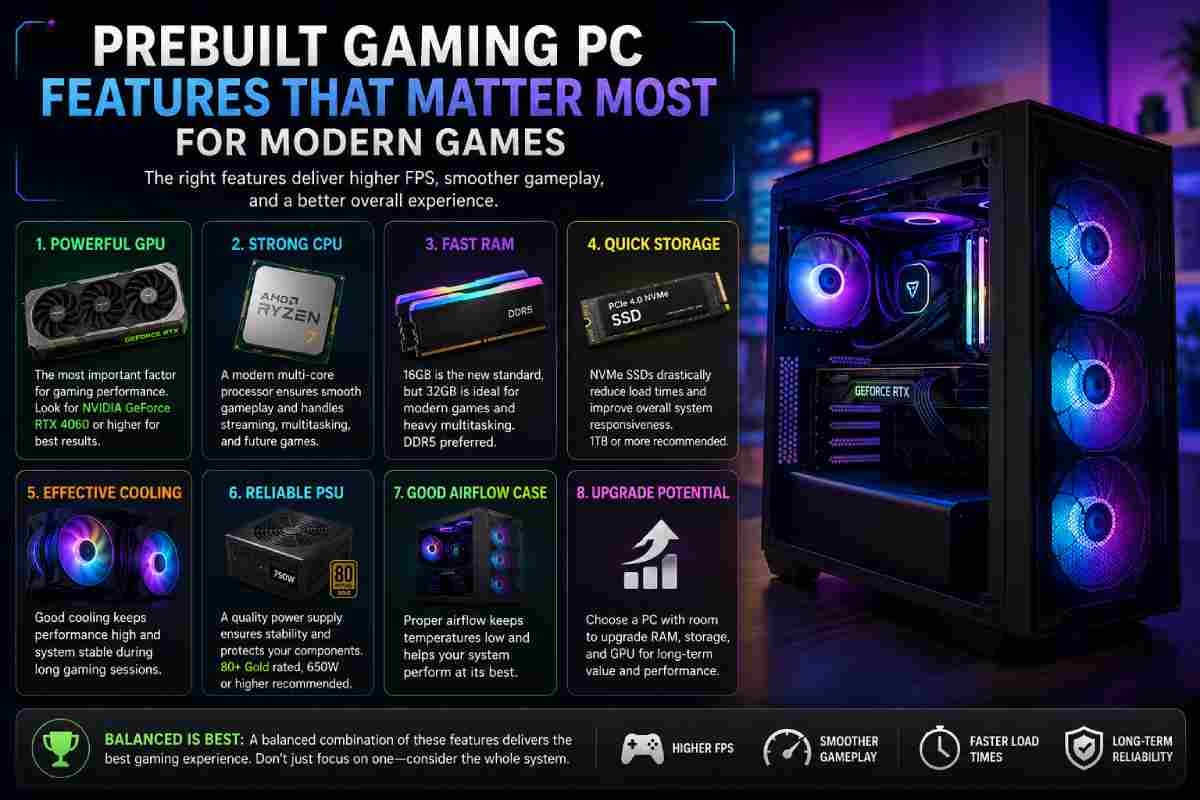
Modern games ask a lot from a computer. Smooth gaming depends on frame rate, fast load times, cool parts, and stable power. A good system should feel quick without constant tweaks. The best choice starts with the parts that affect real play most.
Start With the Graphics Card
The graphics card has the biggest effect on visual quality and frame rate. For a practical next step, explore a prebuilt gaming pc with a strong GPU, balanced CPU, enough memory, and fast storage. A better graphics card helps with sharper detail, higher resolution, and steadier motion. It also aids in keeping newer titles playable as game demands rise.
Modern titles use rich textures, wide maps, and heavy visual effects. That makes GPU memory important, especially for 1440p or 4K play. More VRAM may help improve performance in large open-map games. It can also reduce texture issues when scenes become dense.
Match the CPU to Game Demand
A processor handles game logic, physics, background tasks, and input response. Some titles lean more on the CPU, such as strategy games, simulation titles, and large online matches. A stronger chip can help reduce frame drops when many actions happen at once. It also supports chat apps, launchers, and streams during play.
The CPU should pair well with the graphics card. A powerful GPU with a weak processor can lead to uneven results. Recent Intel Core and AMD Ryzen chips cover many budget and speed levels. The right match depends on game type, screen resolution, and expected use.
Choose Memory With Headroom
Memory affects how well games, apps, and browsers run at the same time. Many current titles work with 16GB, but 32GB gives more space for heavier use. That extra capacity may help improve stability during long play sessions. It also aids in keeping the system responsive when several apps stay open.
Useful memory points include:
- 16GB for esports and lighter titles
- 32GB for larger AAA games and multitasking use
- DDR5 for newer platforms with higher speed support
- Two-stick kits for stronger dual-channel performance
Memory speed has value, but capacity matters first for most players. A system with fast RAM and low capacity can still feel limited. The main goal is a steady response without random slowdowns.
Prioritize Fast Storage
Storage affects boot time, load screens, patch installs, and file access. An NVMe SSD is much faster. A 1TB drive can work for a small library, but newer games take a large amount of space. A 2TB SSD gives more room and cuts down on file cleanup.
Fast storage can help reduce long waits between matches or large map areas. It also makes the system feel quicker for daily tasks. For many players, low storage becomes annoying faster.
Check Airflow and Heat Control
High-performance parts create heat, so airflow deserves close attention. A case with clear intake and exhaust paths helps with stable speed. Good fans, mesh panels, and neat cable routes can support cooler parts. Lower heat may also reduce fan noise during long play.
Case Space Has Value
Case size affects airflow, future upgrades, and service access. Tight cases can look neat, but crowded parts may run hotter. Extra internal space can aid airflow and make part swaps less difficult. It may also help if a larger graphics card is added later.
Look at Power Supply Quality
The power supply keeps major parts stable under load. Wattage should match the CPU, GPU, and possible upgrades. A unit with extra capacity can help during heavy game sessions. Efficiency ratings may also reduce wasted power and heat.
Low-quality power supplies can cause problems that seem hard to trace, such as random restarts, shutdowns, or unstable performance during heavy use. A stable unit supports the system during long sessions and helps the CPU and GPU draw power more reliably. Modular cables can also help with cleaner airflow inside the case because unused wires do not crowd the build. It is a less flashy feature, but it has a direct effect on how dependable the whole PC feels.
Check Ports and Upgrade Space
Modern setups need ports for monitors, headsets, controllers, capture gear, and external drives. USB-C, several USB-A ports, Ethernet, and WiFi support can make daily use easier. A motherboard with extra slots and memory support can extend system life. This matters for anyone who may add storage or RAM later.
A prebuilt gaming pc should have a clear path for future part changes. Extra drive bays, open memory slots, and a strong power supply can help with that. The system should have enough space and support to stay useful as game needs shift.
A strong prebuilt system includes GPU shapes, visual performance, a CPU that keeps action steady, and memory that helps the system stay smooth. Storage, airflow, power, ports, and upgrade space all add practical value. When those parts work well together, modern games feel faster, cleaner, and easier to enjoy.